
Midjourney v7 vs Flux 2 vs Ideogram vs Firefly: Best AI Image Generator in 2026

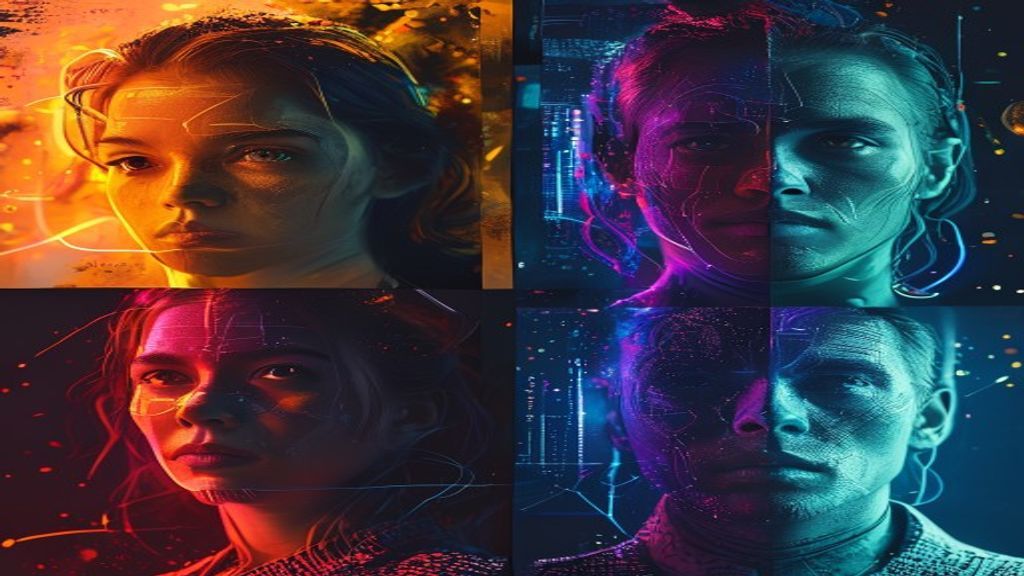
I’ve generated more than 4,000 images across Midjourney v7, Flux 2, Ideogram v3, and Adobe Firefly 4 over the past two months, and I keep getting asked the same question: which one should I actually pay for in 2026? The short answer is “it depends on what you’re making.” The longer answer is more interesting, because the gap between these tools has narrowed and widened in ways that aren’t obvious from the marketing pages.
Here’s my honest, hands-on breakdown of the four leading AI image generators in 2026, what each one is genuinely best at, and how I’d pick if I were starting fresh today.
The Quick Take
Midjourney v7 still owns artistic and aesthetic image quality. Flux 2 wins on text rendering, photorealism, and speed-per-dollar. Ideogram v3 is the specialist for any image that needs accurate text in it. Adobe Firefly 4 is the safest pick when commercial licensing matters more than absolute quality. Pick based on your output, not on hype.
2026 AI Image Generator Comparison Table
| Tool | Best For | Speed | Starting Price | Commercial License |
|---|---|---|---|---|
| Midjourney v7 | Artistic style, mood, illustration | ~30-45 sec | $10/mo | Yes (paid plans) |
| Flux 2 | Photorealism, text-in-image, scale | ~4.5 sec | $0.04/image (Pro API) | Yes |
| Ideogram v3 | Posters, ads, anything with text | ~10 sec | $8/mo | Yes (paid plans) |
| Adobe Firefly 4 | Commercial-safe brand work | ~15 sec | Bundled in Creative Cloud | Yes (IP indemnified) |
Midjourney v7: Still the King of Aesthetics
Midjourney v7 (which has been the default since June 2025) is the model I reach for when the brief includes any version of “make it beautiful.” The new –personalization profile and the v7 prompt interpretation are the biggest jumps Midjourney has made since v5.
I tested v7 on a brand identity exploration for a fictional outdoor coffee shop. I asked for “warm, hand-drawn brand illustrations of a campfire mug with steam, vintage poster aesthetic.” Midjourney delivered six versions that any designer would be proud to put on a moodboard.
What v7 does best:
- Mood and emotional tone in an image
- Stylized illustration, painterly looks, mixed media
- Lighting that looks composed rather than computed
- Coherent character rendering across a series
- Speed at high quality (45 seconds is fine when output is this good)
Where v7 still falls short:
- Text in images is unreliable
- Strict prompt adherence isn’t always its priority — it’ll improvise
- The Discord-only-or-web-app workflow still feels dated
- No native API at scale unless you go through partners
Pricing: $10/mo Basic, $30/mo Standard, $60/mo Pro. The Standard tier is the sweet spot for most paid users.
Flux 2: The Photorealism and Speed Leader
Flux 2 (and FLUX.1.1 Pro before it) is the workhorse for anything that needs to look like a photo, anything that needs to ship at scale through an API, and anything that needs accurate text. It generates in around 4.5 seconds per image on the Pro tier, which is a different category of speed from Midjourney.
I tested Flux 2 on the kind of prompts I used to send to professional photographers: “A 35mm film-style photo of a chef plating ravioli, warm window light, shallow depth of field.” Flux 2 returned three usable shots out of four generations.
What Flux 2 does best:
- Photorealism that genuinely passes the squint test
- Text rendering accuracy that’s close to Ideogram
- Speed — the cheapest fast option for production use
- API-first workflow, including open-source variants
- Strong prompt adherence (closer to literal than Midjourney)
Where Flux 2 falls short:
- Less stylistic range than Midjourney out of the box
- Web UI is functional but not polished
- Subtle artistic touches require careful prompting
- Skin and hair detail lag Midjourney v7 on close-ups
Pricing: Self-host the open variant for free, or use the Pro API at roughly $0.04 per image. Hosted UIs like Replicate and fal.ai layer their own pricing on top.
Ideogram v3: The Text-in-Image Specialist
If your image needs words in it — a poster, an ad, a movie title, a product mockup with copy — Ideogram v3 is the answer. Independent benchmarks put text accuracy at 90-95% on Ideogram v3, and no other generator is close. Midjourney and Flux can do text, but the failure rate is high enough that you’ll burn 5-10 generations to get one usable.
I tested Ideogram on a poster brief: “minimalist poster, bold sans-serif text reading ‘NIGHTSWIM 2026’, deep blue background, single underwater swimmer.” First generation: usable. That doesn’t happen on Midjourney.
What Ideogram v3 does best:
- Text rendering at near-print accuracy
- Posters, album covers, ad mockups
- Logo and wordmark exploration
- Memes and image macros that need clean copy
Where it falls short:
- Aesthetics are a half-step behind Midjourney for non-text work
- Smaller community and less prompt knowledge online
- Some style limitations on highly specific artistic looks
Pricing: $8/mo Basic, with higher tiers for more priority generations.
Adobe Firefly 4: The Commercial-Safe Choice
Firefly 4 is the model I recommend when a client asks “are we sure we can use this image legally?” Adobe trained Firefly entirely on licensed and public domain content, and they back it with IP indemnification on enterprise plans. For brand work, advertising, and anything going through a legal review, that matters.
The image quality has caught up significantly with v4. It’s not Midjourney, but it’s close enough that the licensing story tips the balance for a lot of agency and in-house creative teams.
What Firefly 4 does best:
- IP indemnification — Adobe stands behind the output legally
- Tight integration with Photoshop, Illustrator, Express
- Brand kit support and reference image conditioning
- Generative Fill and Generative Expand inside Photoshop are unbeatable for production
Where it falls short:
- Aesthetic ceiling is below Midjourney for stylized work
- Bundled into Creative Cloud, so you can’t use it standalone affordably
- Slower iteration than Flux 2
Pricing: Bundled with Creative Cloud subscriptions. Standalone Firefly plans run from $5/mo.
Side-by-Side: Real Prompts
To make this concrete, here’s how each tool handled the same three prompts in my testing.
Prompt 1: “Studio portrait of a 60-year-old jazz musician, soft Rembrandt lighting, weathered hands holding a saxophone.”
- Midjourney v7: Most painterly, beautiful tonality, slight stylization.
- Flux 2: Most realistic. Skin texture and fabric detail at the top of the field.
- Ideogram v3: Solid but less character.
- Firefly 4: Clean, very usable, slightly generic.
Prompt 2: “Bold typographic poster: ‘Coffee Saved My Life’, cream background, espresso splash.”
- Midjourney v7: Beautiful image, text was illegible on first 4 generations.
- Flux 2: Text mostly correct on attempt 2.
- Ideogram v3: First generation was print-ready.
- Firefly 4: Text correct, image style a bit corporate.
Prompt 3: “Aerial photo of a fishing village at dawn, painterly look, soft fog.”
- Midjourney v7: Stunning. Easy first-place finish.
- Flux 2: Realistic but less mood.
- Ideogram v3: Acceptable, lacks atmosphere.
- Firefly 4: Solid mid-tier output.
Which Should You Pick?
The matrix I’d use:
- You’re a creative pro making moodboards, illustrations, or art-led marketing → Midjourney v7
- You need photorealistic output at volume through an API → Flux 2
- Your work has text in it (posters, ads, packaging mockups) → Ideogram v3
- You’re in an agency or in-house creative team where licensing matters → Adobe Firefly 4
- You want one tool to do most things well → Midjourney v7 + the occasional Ideogram run for text
The Stack I Actually Use
For full disclosure, here’s my real workflow. I pay for Midjourney Standard ($30/mo) as my main creative tool. I keep an Ideogram subscription ($8/mo) for any project with copy. I use Flux 2 through Replicate’s API for any automated pipeline (blog featured images, batch product shots). And I have Creative Cloud for client work where Firefly’s licensing is non-negotiable.
Total: about $48/mo plus per-image API costs. That’s the cheapest “professional” image generation stack I could put together in 2026 without sacrificing any one quality dimension.
If you want more on the broader AI design ecosystem, my AI Image and Design Tools category has deeper individual reviews, and the Tool Comparisons hub keeps a running list of head-to-heads.
Final Verdict on Midjourney v7 vs Flux 2 (and the Rest)
There’s no single best AI image generator in 2026. There are specialists. Midjourney v7 vs Flux 2 isn’t really a fight — they’re answers to different problems. Midjourney is the artist. Flux is the production engine. Ideogram is the typesetter. Firefly is the licensed studio that legal will sign off on.
The smart move in 2026 isn’t picking a winner. It’s building a stack that uses each tool where it’s strongest. That’s how the best creative teams I know are working, and after generating a few thousand images this year, it’s how I work too.




Keep reading
More from the same category

Cursor AI Review 2026: Is the $20/Mo Pro Plan Worth It?
Some links in this post may earn us a small commission at no extra cost to you. We only recommend tools we...

How to Use Suno AI to Save Time in 2026 (Full Guide)
You needed a background track for your YouTube video yesterday. You spent four hours on Epidemic Sound, found nothing that fit, and...

How to Use Jasper AI to Save Time in 2026 (Full Guide)
Most content teams spend 6–10 hours producing a single blog post. Jasper AI users report cutting that to under 2 hours —...