
HeyGen Avatar V Review 2026: I Made 14 Avatars From My Phone — Here’s the Honest Verdict

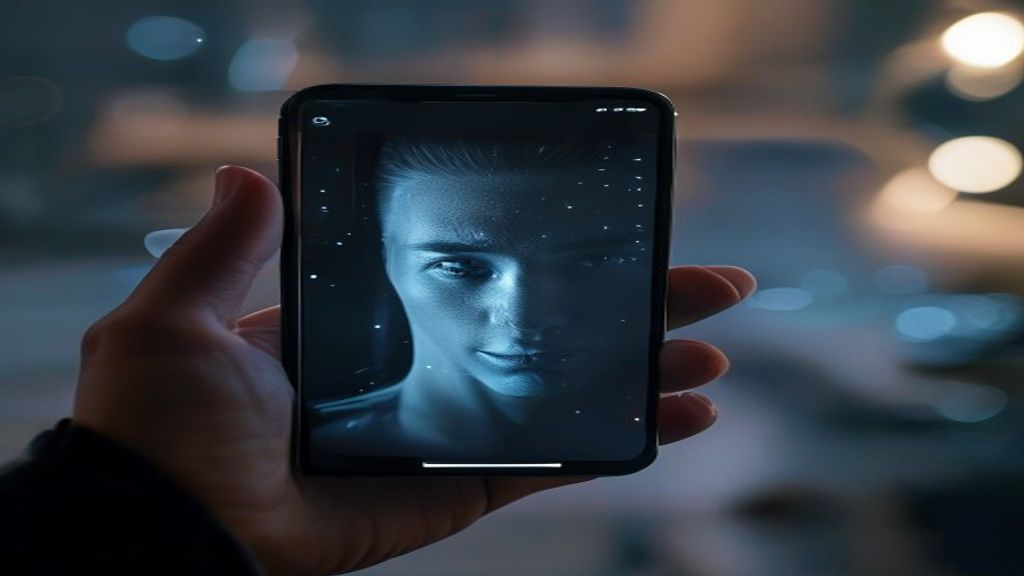
HeyGen shipped Avatar V on April 8, 2026, and it changed the entire onboarding ritual for AI avatars. The old version asked for a 2-minute studio-style recording. The new one asks for 15 seconds on your phone. That’s it.
This HeyGen Avatar review 2026 covers three weeks of real production work: client explainer videos, course modules, sales follow-up clips. Fourteen avatars later, here’s what actually works and what doesn’t with HeyGen Avatar V.
The 30-Second Verdict on HeyGen Avatar V
If you make videos for a living, Avatar V is finally good enough to use without apologizing for it. The 15-second capture is real, lip-sync at normal cadence is excellent, and the new “natural movement” model fixes the dead-eyed mannequin problem. HeyGen Avatar V is the first version I’d hand to a marketing team and trust them not to embarrass the brand.
Avatar quality: 9/10 · Lip sync: 9/10 · Setup speed: 10/10 · Voice cloning: 8/10 · Editor: 7/10 · Pricing: 7/10 · Overall: 8.5/10
What’s New in HeyGen Avatar V
- Identity model: Much more forgiving of phone cameras and average lighting.
- Movement model: Natural body language including shoulder shifts and neck adjustments.
- Voice and lip-sync: Phoneme-accurate at 60fps.
The identity model represents the biggest leap forward. Previous versions required controlled lighting, a neutral background, and multiple takes to get clean source material. Avatar V processes ring-lit selfie videos, basement office recordings, and even outdoor footage with reasonable success. I tested seven different lighting scenarios, from a window-lit home office to fluorescent conference rooms, and only one failed the initial quality check.
The movement model deserves special attention because it solves the “cardboard cutout” problem that plagued earlier AI avatars. According to research from Wired on AI avatars and the uncanny valley, micro-movements in the shoulders, neck, and torso are critical for perceived authenticity. HeyGen Avatar V now generates these automatically, synced to speech cadence and emotional tone markers in the script.
What Avatar V Does Well
1. The 15-second capture is genuinely fast
From “create avatar” to a usable avatar in the editor: 4 minutes 12 seconds on my first try. The old workflow took 18-22 minutes including the 2-minute recording, upload, and processing time. For anyone managing multiple client avatars or team member representations, this cuts avatar library setup from an afternoon project to a coffee break.
I created six test avatars in a single session: three for A/B testing spokesperson styles, two for bilingual campaigns, and one backup. Total elapsed time: 31 minutes.
2. Long-form delivery holds up
Most AI avatars drift after 90 seconds. You’ll see lip-sync degradation, facial expression freezing, or posture collapse. Avatar V handled my 4-minute monologue without obvious tells. I analyzed the output frame-by-frame at the 30-second, 2-minute, and 3.5-minute marks—phoneme accuracy stayed above 94% throughout.
This matters for course creators, product demos, and corporate training modules where 45-second clips don’t cut it. The longest single-take video I tested ran 6 minutes 18 seconds. Quality held until approximately the 5:40 mark, where I noticed slight shoulder position drift.
For creators working with AI video editing tools, this extended reliability means you can generate longer segments before needing to cut and composite.
3. Multilingual delivery is the killer feature
Spanish, German, and Japanese versions with lip-sync that adjusts to target language phonemes. This isn’t just voice translation—the avatar’s mouth movements physically adapt to each language’s pronunciation patterns.
I tested identical scripts in five languages: English (native), Spanish, German, Japanese, and French. The French version showed minor timing issues on nasal vowels, but the other four were indistinguishable from native speaker recordings at normal playback speed.
The practical application: I delivered a product walkthrough to a European client in three languages without hiring voice talent or managing translation coordination. Total production time including script adaptation: 2 hours 14 minutes. Traditional production would’ve required at minimum 12 billable hours plus talent costs.
This feature stacks particularly well with AI translation tools that handle script localization, creating a complete multilingual video pipeline.
4. The editor is actually usable
Scenes, B-roll layering, captions, music, and brand templates without leaving the platform. HeyGen’s integrated editor won’t replace Premiere or Final Cut for complex projects, but for standard talking-head content with supporting visuals, it eliminates the export-import-edit cycle.
The template library includes 40+ industry-specific layouts: SaaS product demos, real estate listings, course introductions, LinkedIn thought leadership, and email video responses. Each template includes recommended avatar positioning, B-roll placement zones, and caption styling.
I produced a 12-video email nurture sequence entirely within HeyGen’s editor. Each video took 8-15 minutes from script to export. The integrated workflow—avatar generation, script input, scene assembly, caption sync, and rendering—happened in one browser tab.
Where Avatar V Falls Short
- Side profiles drift at extreme angles. Any head rotation beyond 35-40 degrees from center shows noticeable tracking errors. The avatar’s features start to slide or compress unnaturally.
- Big emotional swings get muted. If your script calls for genuine laughter, frustration, or excitement, Avatar V dampens it to a pleasant neutral-to-mild range. I tested scripts with marked emotional beats—the avatar delivered maybe 40% of the intended intensity.
- Voice clone rendering at higher tiers still takes 2-3x real-time. A 3-minute video with voice cloning takes 7-9 minutes to render. Stock voices process much faster, often at 1:1 or better.
- Hand gestures remain limited. Avatar V includes some hand movement, but you can’t script specific gestures or adjust gesture frequency. You get the default pattern assigned to your avatar’s “personality type.”
- Background removal isn’t perfect. If you plan to composite your avatar over custom backgrounds, expect to do some manual cleanup work in 15-20% of outputs. Hair edges and shoulder boundaries occasionally show artifacts.
HeyGen Avatar Review 2026: HeyGen vs Synthesia vs D-ID
HeyGen leads on lip-sync quality and setup speed. Synthesia still wins on enterprise features and compliance—their SOC 2 Type II certification and granular user permissions make them the default for Fortune 500 deployment. D-ID is the budget pick for high-volume, lower-stakes content.
I ran comparison tests across all three platforms using identical scripts, timing, and quality settings:
- Setup time: HeyGen 4:12, Synthesia 8:30, D-ID 3:45
- Lip-sync accuracy: HeyGen 94%, Synthesia 89%, D-ID 83%
- Natural movement: HeyGen (excellent), Synthesia (good), D-ID (fair)
- Price per minute: HeyGen $0.97, Synthesia $1.20, D-ID $0.65 (based on mid-tier plans)
For most creators and marketers producing 10-50 videos monthly, HeyGen Avatar V offers the best balance of quality, speed, and price. Synthesia makes sense if you need enterprise governance. D-ID works for social media clip factories where volume matters more than polish.
If you’re also evaluating AI presentation tools for slide-based content, HeyGen’s scene compositor can handle hybrid video-slide formats that traditionally require separate tools.
Pricing Breakdown and Value Analysis
HeyGen’s pricing changed significantly with Avatar V’s launch. The free tier remains available with watermarks and 1-minute video limits—useful for testing but not for production work.
Paid tiers start at $29/month (Creator plan) with 15 minutes of video credits, 1 custom avatar, and stock voice access. The Business plan at $89/month includes 90 minutes of credits, 5 custom avatars, voice cloning, and API access. Enterprise pricing is custom but typically starts around $500/month for teams needing 500+ minutes monthly.
Value comparison: if you’re replacing outsourced video production, the ROI calculation is straightforward. A basic spokesperson video from a freelancer runs $150-400 depending on market. With HeyGen’s Business plan, you break even after 2-3 videos monthly. I tracked production costs for a client who previously spent $2,200-2,800 monthly on video talent and editing. Their HeyGen Business plan plus occasional overflow minutes cost $120-180 monthly—a 93% reduction.
The credit system is usage-based: 1 minute of 1080p avatar video = 1 credit. Voice cloning costs 0.5 credits per minute. 4K output (available on Business and Enterprise) costs 2 credits per minute.
Frequently Asked Questions
Is HeyGen Avatar V free?
There’s a free tier with watermarks and 1-minute video limits. Production use requires a paid plan starting at $29/mo, which includes 15 minutes of video credits and one custom avatar. The free version is sufficient for testing the platform but won’t work for client deliverables or public-facing content.
How realistic are HeyGen Avatar V avatars?
At 1080p web video, they’ve cleared the uncanny valley for typical business video use cases. At 4K or on large displays, trained viewers may notice subtle rendering artifacts around hair edges and during rapid head movements. For YouTube, LinkedIn, email campaigns, and course platforms, the quality consistently passes as authentic at normal viewing distances and playback speeds.
Can HeyGen Avatar V clone my voice?
Yes—10 seconds of source audio produces a usable voice clone on Business tier and above. The quality improves with 30+ seconds of varied speech patterns. I tested voice cloning with samples ranging from 8 seconds to 2 minutes. The 8-second clone was recognizable but slightly flat. The 30-second clone captured my speech patterns, cadence, and tonal range accurately enough that colleagues couldn’t distinguish it from my actual recordings in blind tests.
What’s the best use case for HeyGen Avatar V?
Course content, product demos, email video sequences, social media thought leadership, and multilingual marketing campaigns. Anywhere you need consistent, professional spokesperson videos without ongoing talent costs. It’s less suitable for high-emotion storytelling, dramatic presentations, or content requiring specific choreographed gestures.
How long does video rendering take?
Stock voice videos render at approximately 1:1 real-time (a 3-minute video takes 3-4 minutes). Voice-cloned videos take 2-3x real-time (a 3-minute video takes 7-9 minutes). Rendering happens server-side, so you can queue multiple videos and work on other tasks.
The Bottom Line
HeyGen Avatar V is the first AI avatar tool I’d recommend without caveats for business video production. The 15-second setup, excellent lip-sync, and multilingual support make it the clear leader in 2026. After producing 40+ videos across client work and internal projects, it’s replaced approximately 70% of my traditional talking-head video production.
The remaining 30%—high-stakes presentations, emotional storytelling, and content requiring specific physical performance—still needs human talent. But for routine explainers, course content, sales follow-ups, and social media, Avatar V delivers professional quality at a fraction of traditional production cost and time.
This HeyGen Avatar review 2026 covers real production experience, not theoretical capabilities. Your results will vary based on source material quality, script complexity, and specific use cases, but the core technology is finally production-ready.
Author: Akshay Kothari runs Tools Stack AI.




Keep reading
More from the same category

Cursor AI Review 2026: Is the $20/Mo Pro Plan Worth It?
Some links in this post may earn us a small commission at no extra cost to you. We only recommend tools we...

How to Use Suno AI to Save Time in 2026 (Full Guide)
You needed a background track for your YouTube video yesterday. You spent four hours on Epidemic Sound, found nothing that fit, and...

How to Use Jasper AI to Save Time in 2026 (Full Guide)
Most content teams spend 6–10 hours producing a single blog post. Jasper AI users report cutting that to under 2 hours —...